This guide covers MLB key programming on an Audi Q7 with the KEYDIY KD-X6. The process is quick and simple, with no PC, extra equipment, or security codes required.
1. Prepare the Wiring
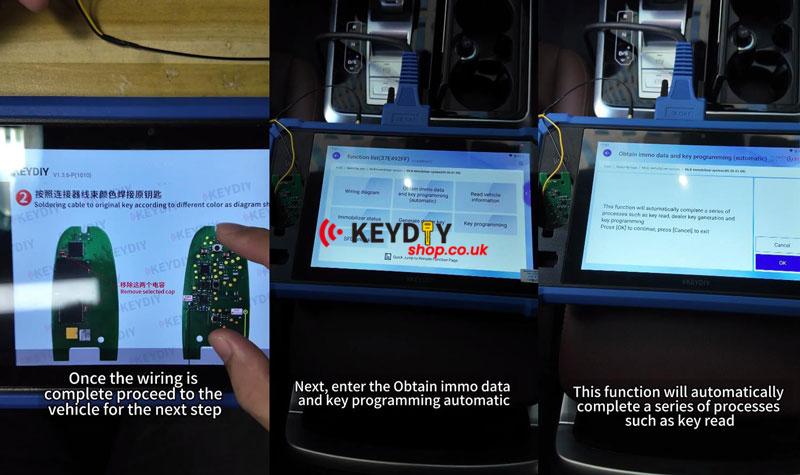
(1) Remove the capacitors and connect the wires before starting.
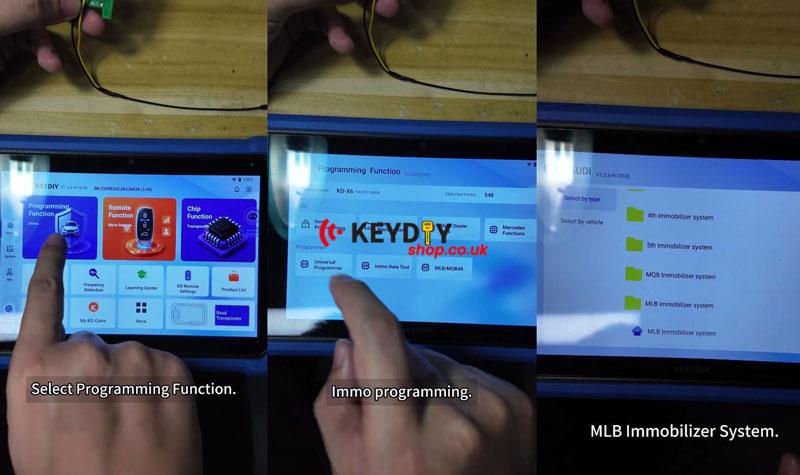
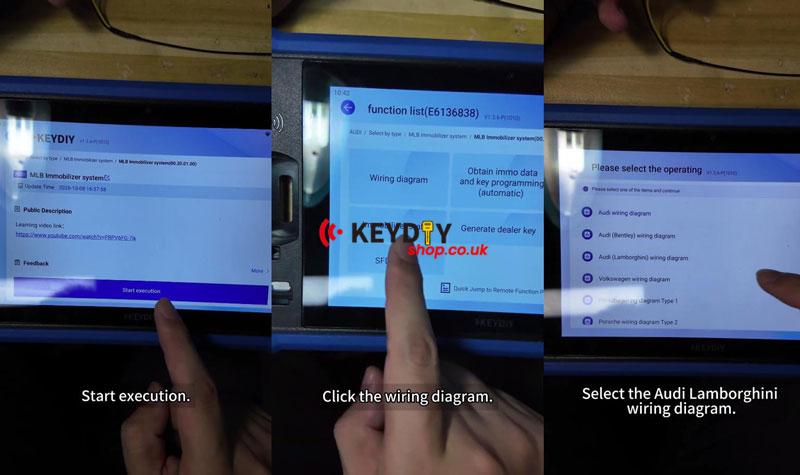
(2) Go to Programming Function >> Immo Programming >> Audi >> MLB Immobilizer System >> Start execution >> Wiring diagram >> Audi Lamborghini wiring diagram.
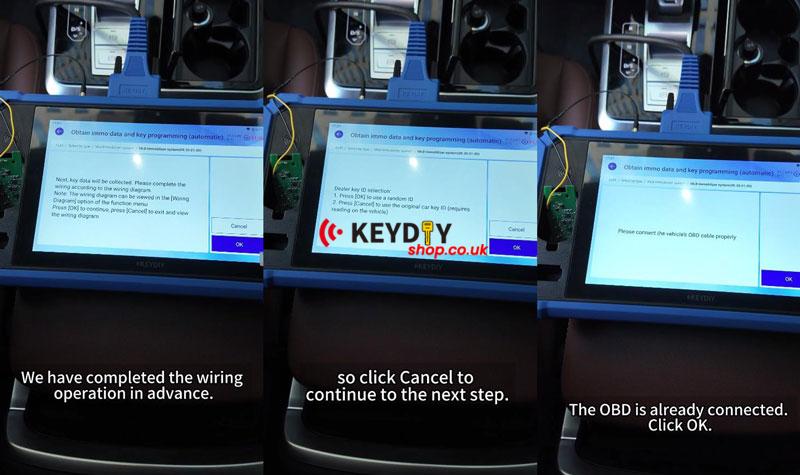
(3) Complete the wiring, then connect the KD-X6 to the vehicle’s OBD port.
2. Collect Original Key Data
(1) Select Obtain immo data and key programming (automatic) and press OK.
(2) Press OK to continue. At the dealer key ID prompt, select Cancel to use the original vehicle key ID.
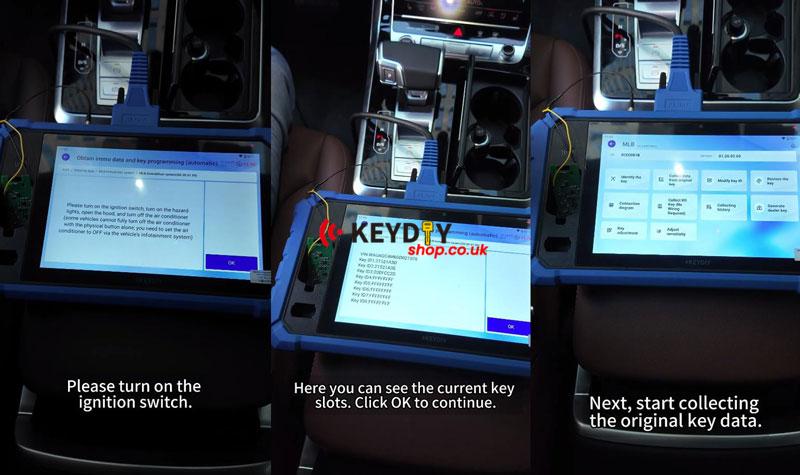
(3) Confirm the OBD connection. Turn on the ignition and hazard lights, open the hood, and turn off the air conditioner. Press OK.
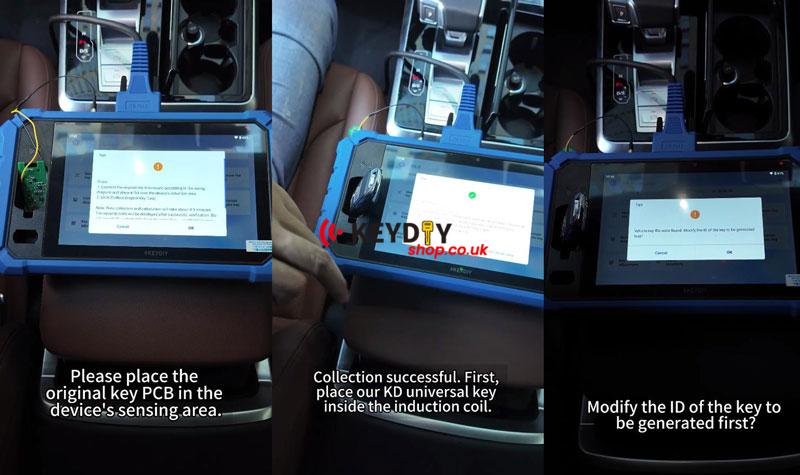
(4) Select Collect KD Key (No Wiring Required). Place the original key PCB in the KD-X6 sensing area and wait about 4–5 minutes for successful collection.
3. Generate the Dealer Key
(1) Place the KD universal key in the induction coil and select Generate Dealer Key.
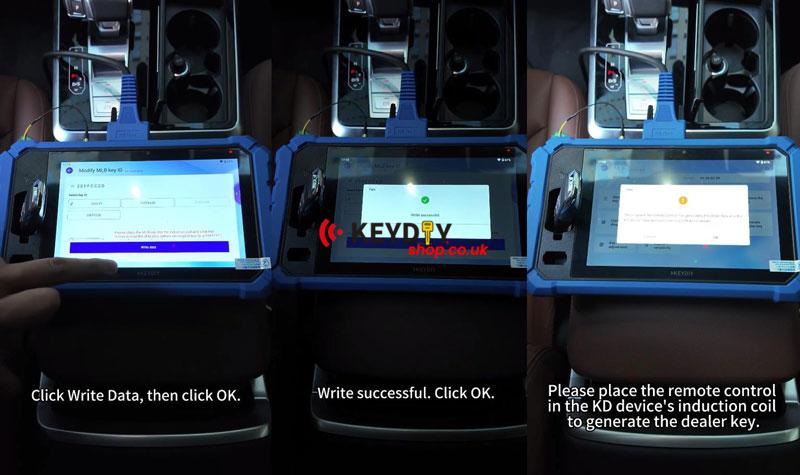
(2) When prompted to modify the key ID, select a key ID, then choose Write Data >> OK.
(3) After writing succeeds, place the remote in the induction coil. Press OK and wait for successful generation.
4. Program Three Keys
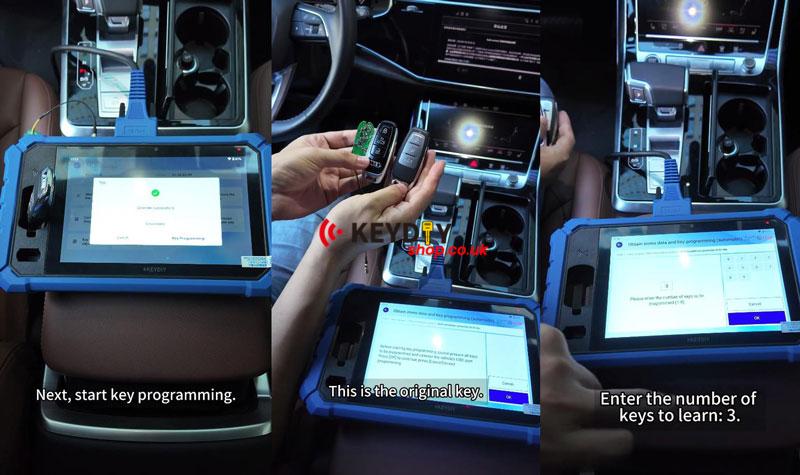
(1) Select Key Programming. Disconnect the data collection cable connector and prepare all three keys. Press OK.
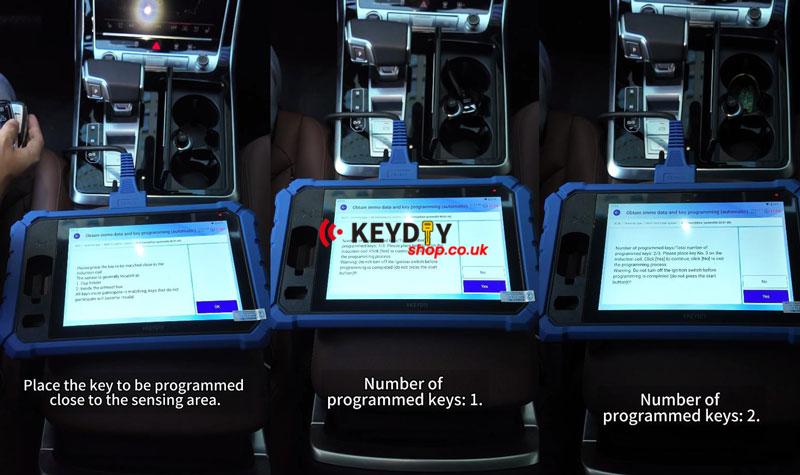
(2) Enter 3 as the number of keys to learn. On the Audi Q7, place the first key in the sensing area inside the cup holder. Press OK, then select Yes to confirm.
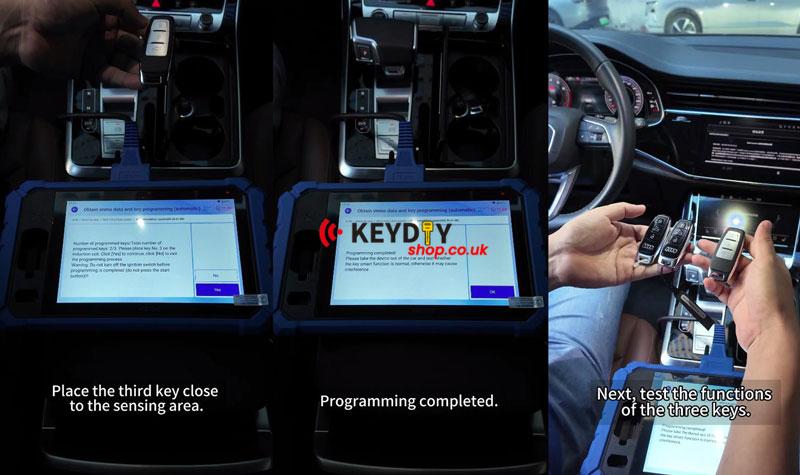
(3) Repeat with the second and third keys, selecting Yes each time. The programmed key count should increase from 0 to 3.
(4) When Key programming completed appears, press OK.
Final Key Test
Reassemble the original key and test all three keys. All three worked normally, and the engine started successfully.