
Some customers report “Cannot find my KEYDIY KD-X4 device” when using the KEYDIY app. This issue is usually caused by Bluetooth or location settings. Follow the steps below to solve it quickly.
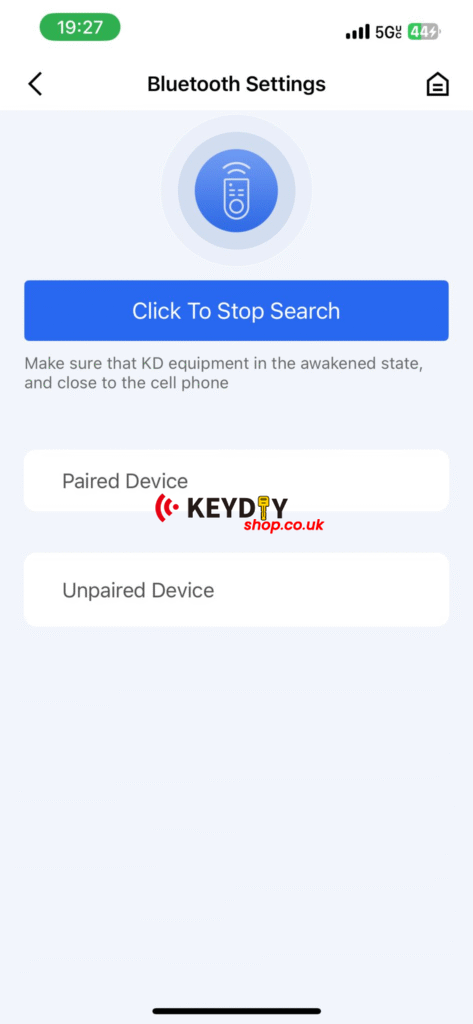
Step 1: Check If KD-X4 Is Connected to Another Phone
Please record a short video of the KD-X4 screen and device status.
Make sure the device is not already connected to another mobile phone. The KD-X4 can only connect to one phone at a time.
Step 2: Enable Location Service on Your Phone
KEYDIY app requires Location Service (GPS) to scan nearby Bluetooth devices.
Please check:
Location is turned ON
Location permission is allowed for KEYDIY app
Bluetooth is enabled
After enabling location, restart the KEYDIY app and scan again.
Step 3: Restart Device and App
Power off the KEYDIY KD-X4, restart your phone Bluetooth, then reconnect. This often solves temporary connection issues.
Final Tip
For best performance, always keep your KEYDIY app updated and use the latest KD-X4 firmware version.
If the problem continues, contact our support team for assistance.